Typing speed and accuracy have become important skills for students preparing for various computer-based examinations, especially JKSSB recruitment exams and other posts where typing ability is required. To make typing practice more useful and exam-oriented, we have developed an advanced Typing Master that gives students much more control over what and how they want to practise.
Why This Typing Practice Is Different
Traditional typing software generally provides predefined exercises and typing passages. Students may have limited control over the exact characters or keyboard areas they want to practise.
This Typing Master takes a different approach. Students can decide exactly which part of the keyboard they want to practise and can combine different keyboard sections according to their requirements.
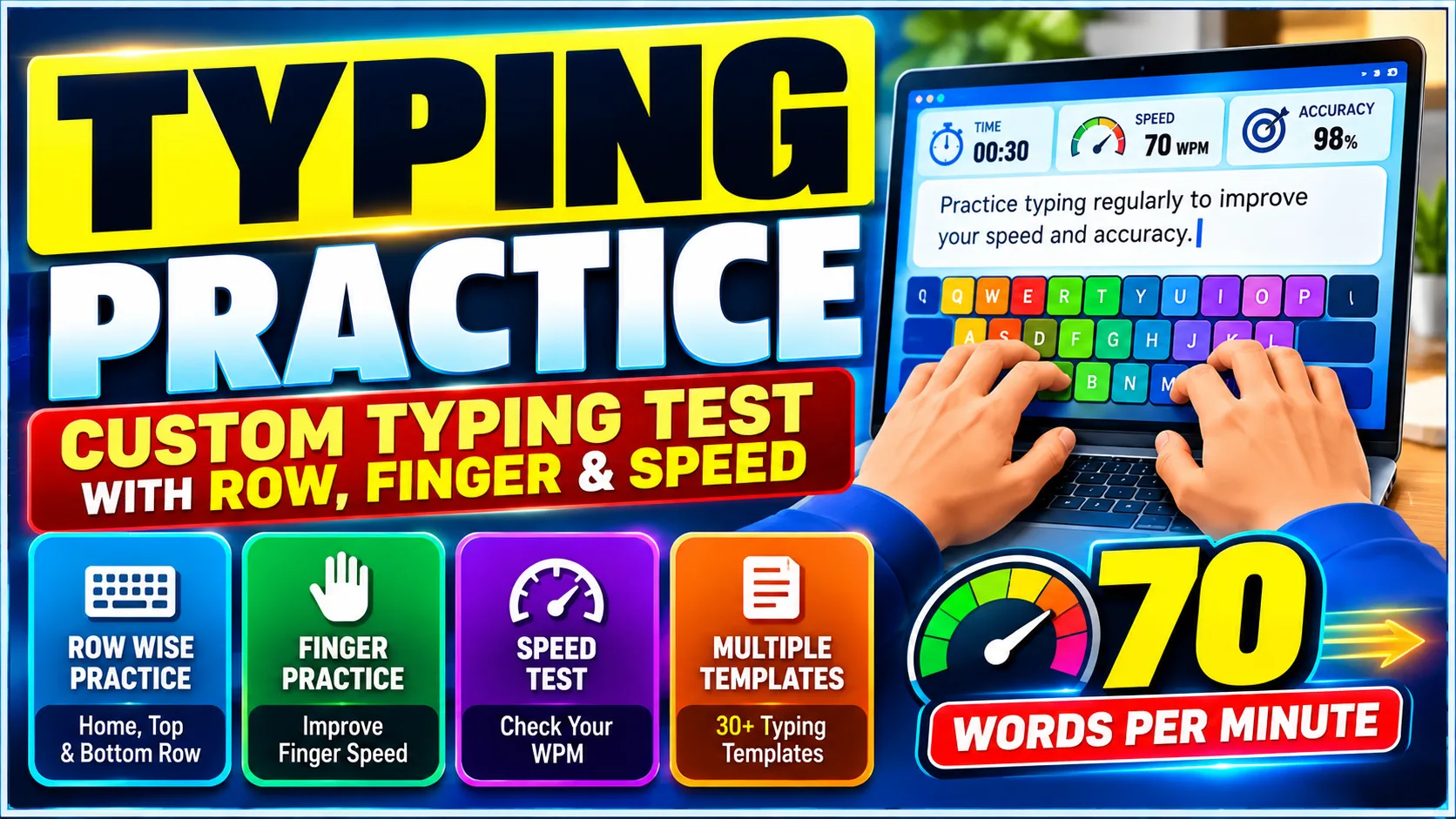
The system provides around 30 different typing templates covering keyboard rows, hands, combinations and specific fingers. This makes it possible to gradually develop keyboard familiarity before moving towards complete typing passages.
The practice system is particularly useful for students who want structured typing practice instead of repeatedly typing random paragraphs.
Choose the Keyboard Row You Want to Practise
One of the main features is the ability to select particular keyboard rows.
Students can practise:
- Home Row
- Top Row
- Bottom Row
- Home + Top Row
- Home + Bottom Row
- Top + Bottom Row
- Full Alphabet
- Standard Row
- Other available row combinations
This allows learners to focus on a particular section of the keyboard before progressing to more advanced combinations.
For example, a beginner who is still becoming familiar with the home row can practise only the home row characters. After becoming comfortable, the student can combine the home row with the top row or bottom row.
READ ALSO:JKSSB Class IV Recruitment 2026, 2863 Vacancies for MTS and Sanitation Worker Posts
Left-Hand and Right-Hand Typing Practice
The typing system also allows students to focus on individual hands.
Students can practise different combinations for the left hand, including:
- Left Hand
- Left Hand Home Row
- Left Hand Top Row
- Left Hand Bottom Row
- Left Hand Home + Top
- Left Hand Home + Bottom
- Other available left-hand combinations
Similar options are available for the right hand.
This type of focused practice can help students identify which side of the keyboard requires more practice. Instead of spending the entire session typing the complete alphabet, learners can concentrate on the specific keyboard area they want to improve.
Finger-Specific Typing Practice
Typing improvement is not only about increasing speed. Proper finger movement and familiarity with specific keys are also important.
The Typing Master provides options for practising specific fingers and their corresponding keyboard characters. This allows students to isolate particular finger movements and repeatedly practise the associated keys.
Such focused exercises can be useful for beginners who are learning touch typing as well as students who already type but want to improve their keyboard control.
Custom Character Typing
Sometimes predefined templates may not match a student’s exact requirement. For this reason, the typing practice also provides a custom character option.
Students can enter the characters they specifically want to practise. The typing exercise is then generated according to those selected characters.
This gives students greater flexibility because they are not restricted to the predefined templates.
For example, if a learner wants to practise a particular group of letters or characters repeatedly, those characters can be entered manually and used for the typing exercise.
Paragraphs and Punctuation Can Be Controlled
Typing practice is not always about letters alone. Real typing tests may also require punctuation marks and paragraph formatting.
The system therefore allows students to decide whether they want paragraphs and punctuation included in their practice.
Students can manually select the options according to the type of exercise they want to perform.
This makes it possible to switch between basic character practice and more realistic typing exercises.
Select Your Own Typing Test Duration
Different students require different amounts of practice time. A beginner may prefer a short session, while a student preparing for a typing examination may want a longer practice test.
The Typing Master provides multiple timing options, including:
| Practice Duration | Suitable Use |
|---|---|
| 1 Minute | Quick practice and warm-up |
| 3 Minutes | Short speed practice |
| 5 Minutes | Regular typing practice |
| 10 Minutes | Extended practice |
| 15 Minutes | Longer typing session |
| 20 Minutes | Intensive practice |
| 30 Minutes | Full-length practice session |
Students can select the duration according to their requirements and practice schedule.
Continue Typing or Stop on an Error
Another useful customisation is the option to decide how the typing test should behave when an incorrect entry is made.
Students can choose whether they want to continue typing after making an incorrect entry or stop when an error occurs.
This provides flexibility for different learning methods. A student focusing on continuous typing can continue the exercise, while a learner focusing strongly on accuracy can use a stricter practice approach.
Detailed Results After Completing the Test
The practice does not simply show a typing score after completion. It provides detailed information about the student’s performance.
After submitting the typing test, students can see important statistics such as:
- Gross Speed
- Accuracy
- Net Speed
- Time Taken
- Total Keys
- Correct Keys
- Incorrect Keys
- Trouble Words
- Trouble Keys
- Detailed Performance Analysis
These results help students understand not only their typing speed but also the areas where mistakes are occurring.
Identify Trouble Words and Keys
Speed alone does not tell the complete story of a typing performance. A student may have a good typing speed but repeatedly make mistakes on particular words or keys.
The detailed analysis helps identify trouble words and trouble keys where incorrect entries have occurred.
Students can use this information to return to focused practice and work specifically on the areas where they are making mistakes.
This creates a practical cycle of practice, testing, analysis and improvement.
How Students Can Use the Typing Master
- Open the Typing Master and select the type of practice you want to perform.
- Choose a keyboard row, hand, finger, combination or custom character option.
- Select whether paragraphs and punctuation should be included in the exercise.
- Choose the required test duration, such as 1, 3, 5, 10, 15, 20 or 30 minutes.
- Select whether typing should continue after an incorrect entry or stop when an error occurs.
- Start the typing test and review the detailed performance analysis after completing it.
From Beginner Practice to Advanced Typing
A learner can start with a small keyboard section and gradually increase the difficulty.
For example, practice can begin with the home row, followed by combinations involving the top or bottom row. The learner can then move towards the full alphabet and longer typing sessions.
Students who already have typing experience can use custom characters, hand-specific exercises, finger-specific practice and longer timed tests to focus on particular weaknesses.
This makes the same typing platform useful for different stages of learning.
Why Regular Typing Practice Matters
Typing improvement requires consistent practice. Repeatedly performing timed exercises can help students become more familiar with keyboard positions while giving them measurable performance data.
The detailed statistics also make it easier to track progress. Instead of judging improvement only by typing speed, students can compare accuracy, correct and incorrect keys, net speed and recurring trouble areas.


Sabirah Shabir Rather
Mir Arshid